Why Prume Pro?
Purpose-built tools for the AI-assisted development workflow. Every feature solves a real pain point.
Intelligent Change Classification
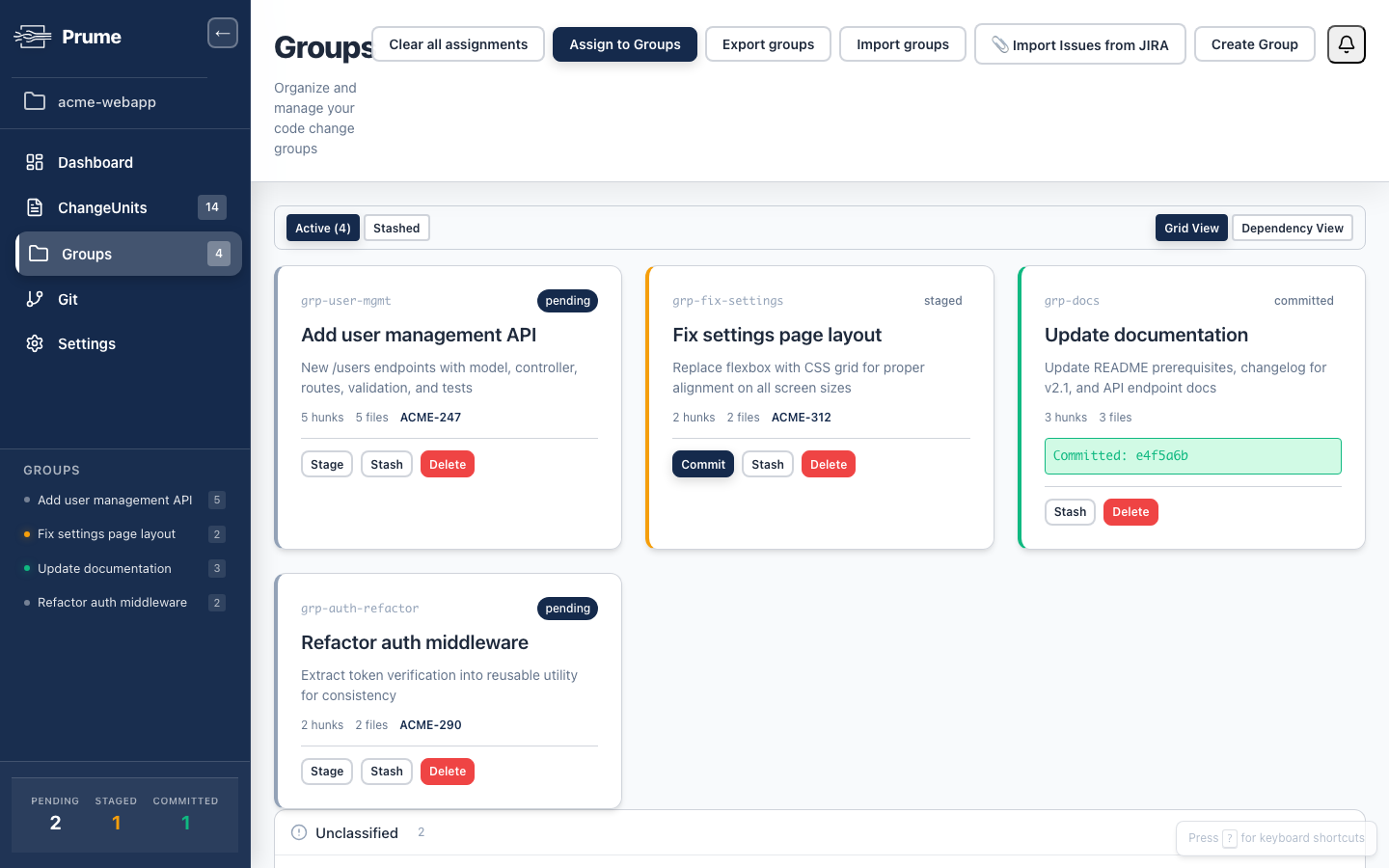
Multi-layer rules + optional AI sort changes by concern
The pain
After an AI agent session, you have dozens of changes spanning multiple concerns. Sorting them manually takes longer than writing the code.
The solution
Prume’s multi-layer classification engine (file path matchers, keyword rules, regex patterns, AI) automatically groups changes by concern. Define rules once, and they apply every time.
Layers 1–3 are deterministic rules you control. No API calls, no latency, no surprises. AI handles the remaining edge cases.
Hunk-Level Precision
Split a single file’s changes across multiple commits
The pain
Two different tasks changed the same file. git add can’t split them. git add -p is tedious and error-prone.
The solution
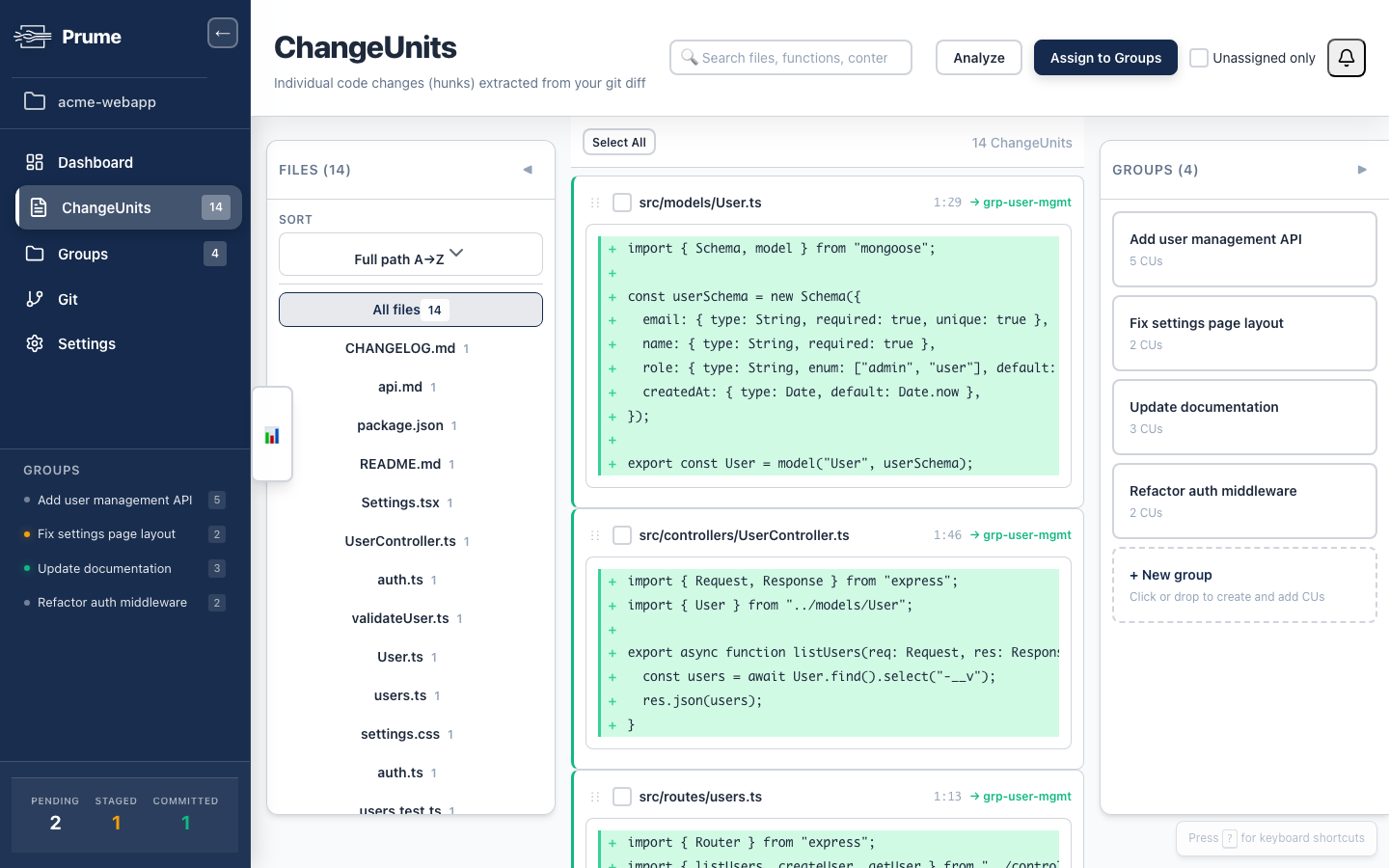
Prume extracts individual hunks from every file. In the Web UI, drag a hunk from one group to another. Split a single file’s changes across as many commits as you need.
Jira & Issue Tracker Integration
Auto-link commits to Jira issues, update statuses
The pain
You have four tasks, four Jira issues. You need each commit to reference the right issue, and each issue’s status updated. That’s 8+ manual actions.
The solution
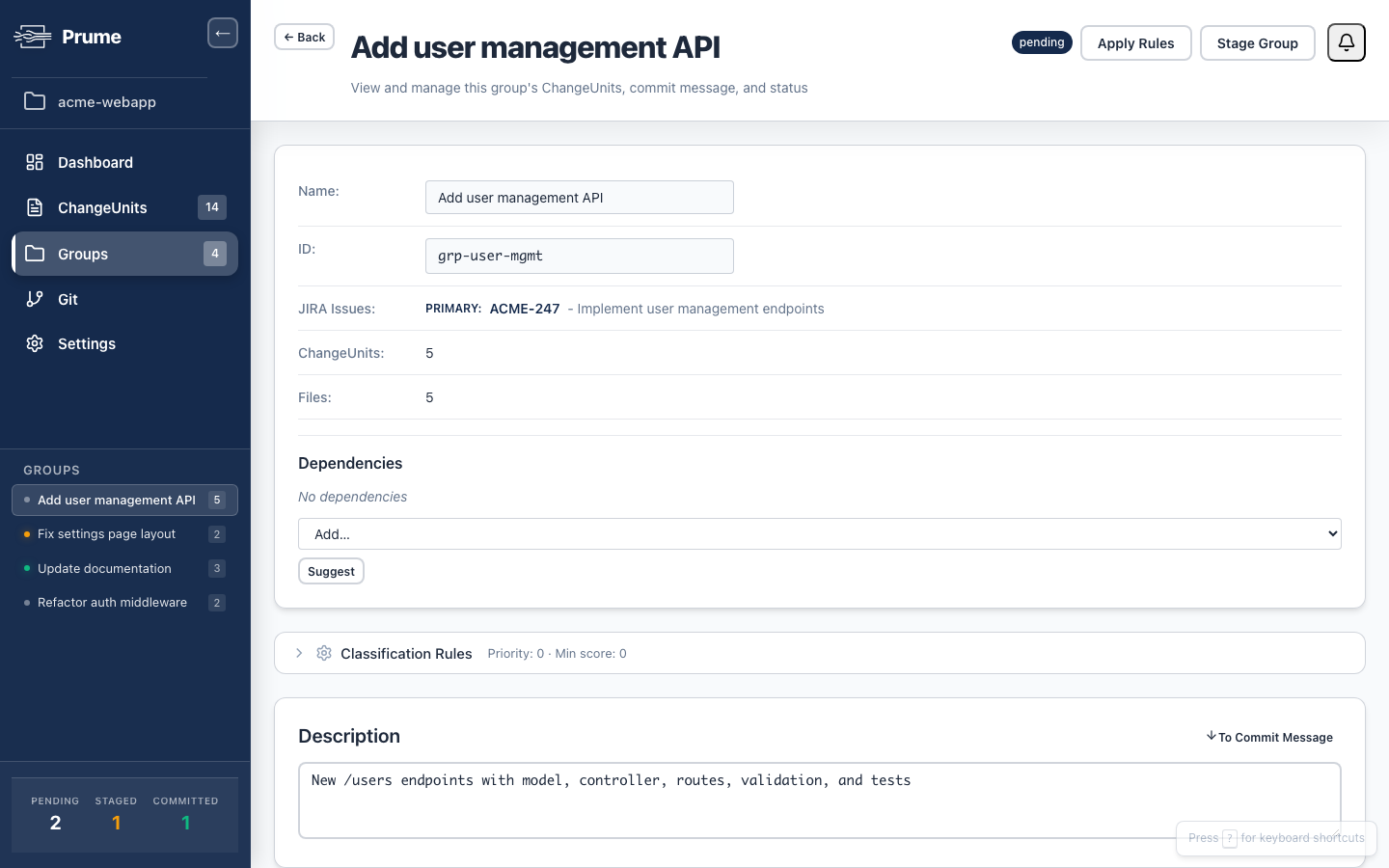
Prume Pro links groups to Jira issues. Commit messages automatically include issue keys. Issue statuses update when commits are pushed. Zero copy-paste.
Stacked PR Export
One PR per group with proper dependency ordering
The pain
Clean commits are great, but you also need separate PRs for each concern — especially for large changes.
The solution
prume export creates a stacked PR for each group. Each PR is focused, easy to review, and linked to the right Jira issue. Works with Graphite, GitHub, and other PR tools.
$ prume export --graphite
Creating stacked PRs for 4 groups...
✓ feat/user-management → PR #247
✓ fix/settings-layout → PR #248
✓ docs/v2.1-updates → PR #249
✓ refactor/auth-utils → PR #250
Stack created. 4 PRs ready for review.
Web UI with Drag-and-Drop
See all changes at once, rearrange them visually
The pain
Terminal-based staging is blind. You can’t see all your changes at once or easily rearrange them.
The solution
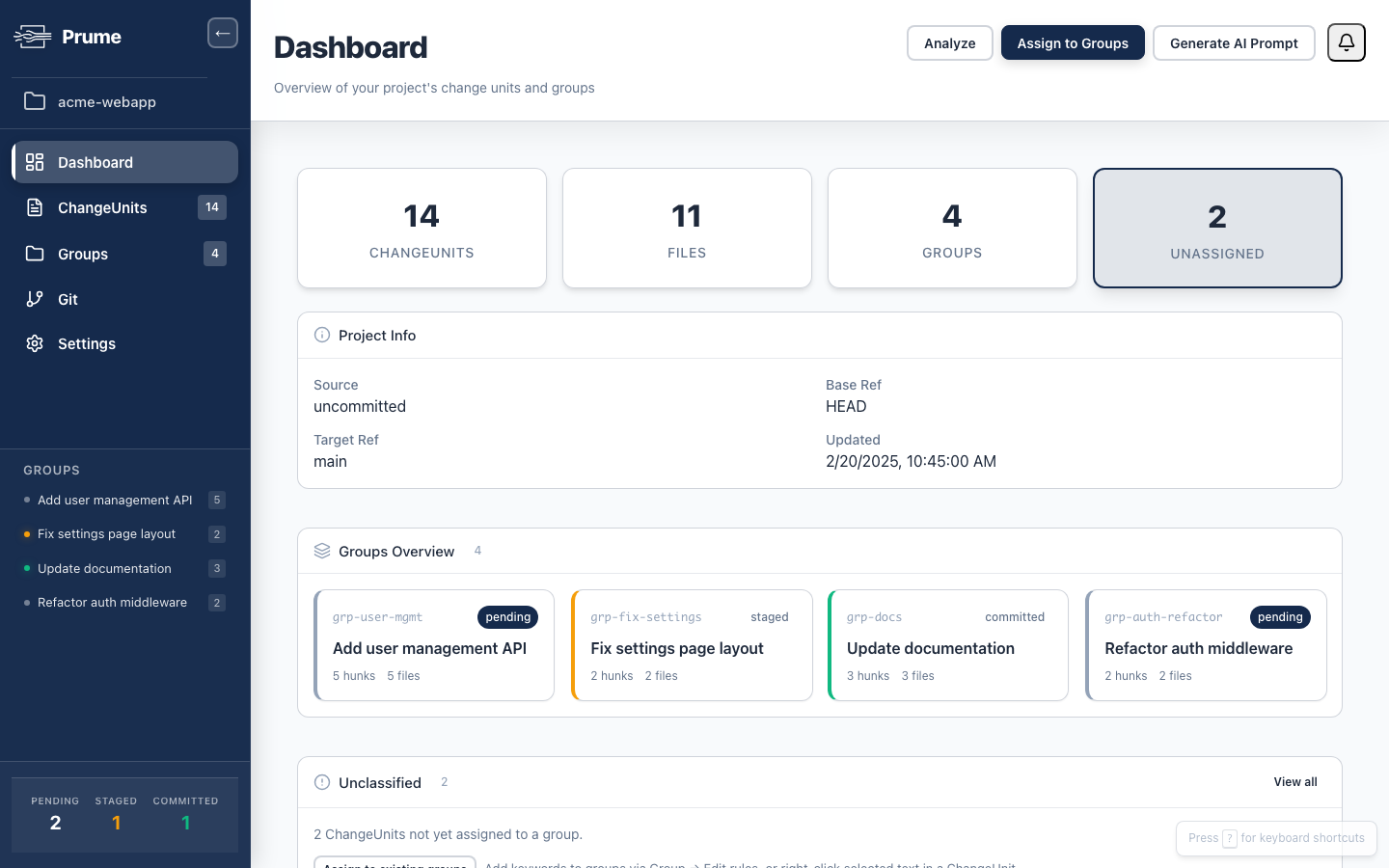
Prume Pro’s Web UI shows all change units, all groups, and all diffs in one view. Drag hunks between groups. See the full picture before committing.
Predictable Rule System
Same rules → same groups, every time
The pain
AI tools are non-deterministic. I can’t trust that the same changes will be grouped the same way every time.
The solution
Prume’s core classification uses deterministic rules: file path patterns, keyword matchers, and regex. These rules are version-controlled in your .prume/config.yaml. Same changes → same groups, every time.
groups:
auth-refactor:
paths: ["src/middleware/auth.*", "src/utils/auth.*"]
keywords: ["jwt", "token", "authenticate"]
issue: ACME-290
docs:
paths: ["README.md", "CHANGELOG.md", "docs/**"]
settings-fix:
paths: ["src/**/settings.*", "src/**/Settings.*"]
issue: ACME-312
Ready to try Prume Pro?
Start with the free CLI, or get the full experience with a 14-day trial.